
Stored charge persists; a controller turns cell states into usable files
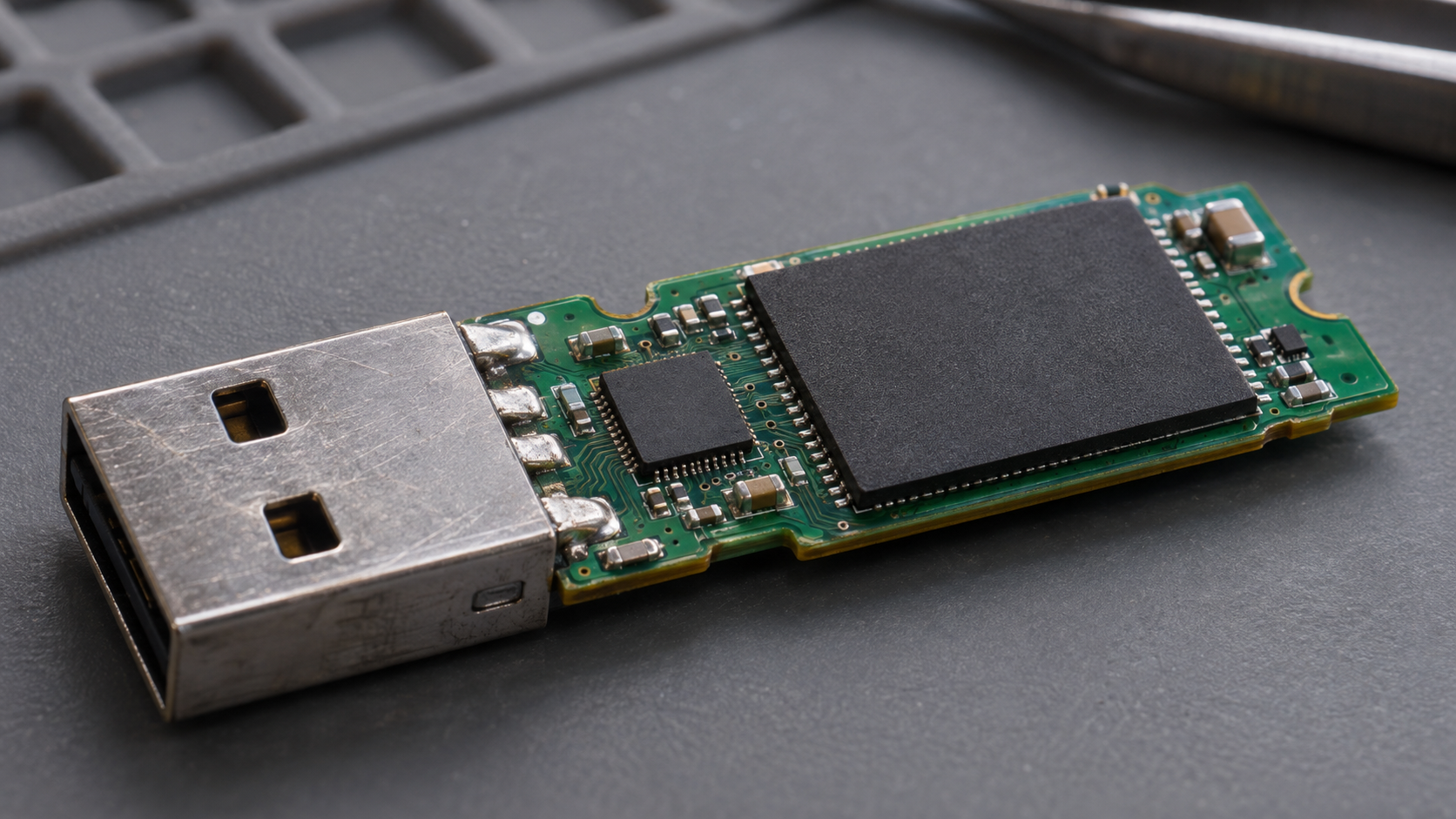
Unplug a USB drive, put it in a drawer and reconnect it later: the documents are still there. The drive has no spinning platter, and it does not need a battery continually feeding every stored bit. Its persistent state is built into tiny semiconductor structures.
The mechanism is electrical, but the information is more than a collection of miniature switches. A flash cell stores charge; a reading circuit interprets its response; and a controller turns many cells into an organized storage device. Keeping those levels separate explains both the persistence and the limitations of the technology.
Follow the mechanism
- Programming changes the stored-charge state.
- Insulation helps retain that state without continuous power.
- Read circuitry distinguishes the cell response.
- A controller maps, checks and manages the stored data.
A file begins as a pattern of bits
Text, photographs and software are represented digitally. At the storage level, information is encoded in patterns of bits, conventionally written as zeros and ones. The storage hardware does not recognize a family photograph as a scene; software interprets the stored representation according to a file format.
A useful teaching example is an eight-bit pattern such as 01000001. Those eight positions can represent a number, a character in an encoding, or part of something else. Their meaning depends on the system using them. The physical memory only needs sufficiently distinguishable states from which the intended pattern can be recovered.
That is why “how a photo is encoded” and “how flash retains charge” are separate questions. Compression can reduce the representation of a file, while flash provides a physical place to retain that representation. The same storage cell technology can hold a page of text, a fragment of audio or part of a programme without changing its basic operating principle.
Sources: [1]
The stored charge changes a transistor’s behaviour
In a simplified flash cell, an insulated storage region holds charge. Depending on the architecture, this can involve a floating gate or a charge-trapping layer. Moving charge into or out of that region changes the electrical conditions under which the transistor conducts.
One useful quantity is threshold voltage: the control voltage associated with the transistor beginning to conduct under defined read conditions. A sensing circuit can compare the cell’s response with reference conditions to distinguish stored states. It does not need to remove every stored electron and count them individually.
The underlying transistor function connects flash with other semiconductor electronics, but the storage structure adds persistence. An ordinary switching transistor is not automatically a nonvolatile memory cell. The insulation and the controlled movement of charge are essential parts of the design.
Sources: [1]
Why the state remains after power is removed
An insulator makes the stored charge difficult to remove under ordinary conditions. Once a cell is programmed, maintaining its state does not require the continuous refreshing associated with volatile working memory. This is the sense in which flash is nonvolatile.
The barrier is not an assertion of absolute permanence. Real devices have leakage, variation, ageing and operating limits. A memory cell can retain a useful state for a specified set of conditions without being an eternal container. Temperature and the cell’s previous programme/erase history affect retention.
A helpful analogy is a movable marker behind a barrier. Energy is needed to deliberately move it between useful positions, but it can stay in place for a time without continual effort. The analogy does not describe the microscopic mechanism; it distinguishes the energy used to change a state from the energy needed to sense it later.
Reading, programming and erasing do different work
Reading applies suitable electrical conditions and senses how the cell responds. Programming changes the stored-charge state. Erasing resets an erase unit so its cells can be used in a later programming sequence. The voltages and detailed methods depend on the memory technology.
NAND flash organizes cells into pages and blocks. A controller generally programmes data in page-sized units while an erase operation acts on a larger block. This matters because changing a small file is not necessarily a simple overwrite of the same physical cells.
The operating system may address the drive in small logical units, but the controller translates those requests into operations the flash can perform. It may place updated data elsewhere and later reclaim blocks containing obsolete data. The distinction between a logical address and a physical location is central to understanding why a drive is more than its memory chips.
| Operation | Physical purpose | Why it matters |
|---|---|---|
| Read | Sense a cell’s response under controlled conditions. | Recover a stored pattern without treating the cell as an ordinary paper label. |
| Programme | Change the stored-charge state. | Write new information into suitable available cells. |
| Erase | Reset a block for reuse. | Manage the mismatch between small updates and larger physical erase units. |
How one cell can represent several bits
Two distinguishable states are enough for one bit. Four states can represent two bits, because the possible pairs are 00, 01, 10 and 11. Eight distinguishable states represent three bits, and sixteen represent four. These are counts of possible states, not claims that each cell contains separate tiny rooms for each bit.
The familiar labels are SLC for one bit per cell, MLC commonly for two, TLC for three and QLC for four. More information can therefore fit into a cell by distinguishing more ranges of electrical response. The precise mapping from a response range to a bit pattern is a matter of the encoding scheme.
The trade-off is interpretive space. Imagine dividing the same measuring scale into two broad categories or sixteen narrower ones. Narrower categories demand more precise discrimination. In a real device, control circuitry, error correction and memory design address that problem; the analogy is not a numerical prediction of a particular drive’s speed or reliability.
Sources: [2]
The controller makes a usable drive out of the cells
A storage controller maintains the relationship between the addresses requested by the computer and locations in flash. It also manages error-correcting information and distributes use across the available memory. Those jobs are invisible when a file simply opens, but they are part of normal operation.
Wear levelling aims to avoid repeatedly wearing one limited area while leaving other cells underused. Error-correcting codes provide redundancy that helps identify and correct certain errors. Neither is magic: they operate within limits, and hardware or power failures can still cause data loss.
Some devices also reserve capacity that is not exposed as ordinary user storage. That space can support internal management. Consequently, raw memory capacity, usable formatted capacity and the size reported by an operating system are related but different quantities. An apparent mismatch is not, by itself, evidence that the flash cells have forgotten data.
Why flash wears with use
Deliberately moving charge during programming and erasing subjects the memory structure to electrical stress. The accumulated history can change how well cells maintain distinguishable states. Endurance is therefore an engineering property tied to use, technology and management rather than a promise of unlimited rewriting.
A drive-level endurance rating should not be read as a countdown after which every cell instantly fails. Controllers distribute work and handle errors; workloads also differ in how much internal writing they cause for a given host request. The device maker’s specifications define the applicable conditions.
This is why a simple comparison based only on the SLC, TLC or QLC label is incomplete. Capacity, controller design, firmware, workload, operating conditions and the intended product class influence the finished device. The label tells you something about cell encoding, not everything about the storage system.
Retention is different from endurance
Endurance concerns the repeated operations a device can tolerate under stated conditions. Retention concerns how long a stored state remains recoverable. The two interact: KIOXIA’s retention brief describes how previous programme/erase cycling and temperature influence stored-data reliability.
A device can be unplugged without erasing itself immediately and still be unsuitable as the only copy of an important archive. “No power required to retain data” does not mean “no maintenance or backup ever required”. Nor does a general explainer establish a universal number of years for every unused drive in every drawer.
For important files, the practical consequence is to maintain independent copies and verify that they can be read. A backup plan should survive the failure or loss of a complete device, not merely depend on one cell technology behaving ideally. This is a storage-management conclusion, not a recommendation for a particular product or refresh interval.
Sources: [4]
Flash, working memory and a hard disk are not interchangeable
Working memory supports fast operations while a computer is running. Persistent storage retains files between sessions. A device can contain both, along with controller memory and other components. Calling every electronic memory “RAM” blurs the distinction the unplugged USB drive makes obvious.
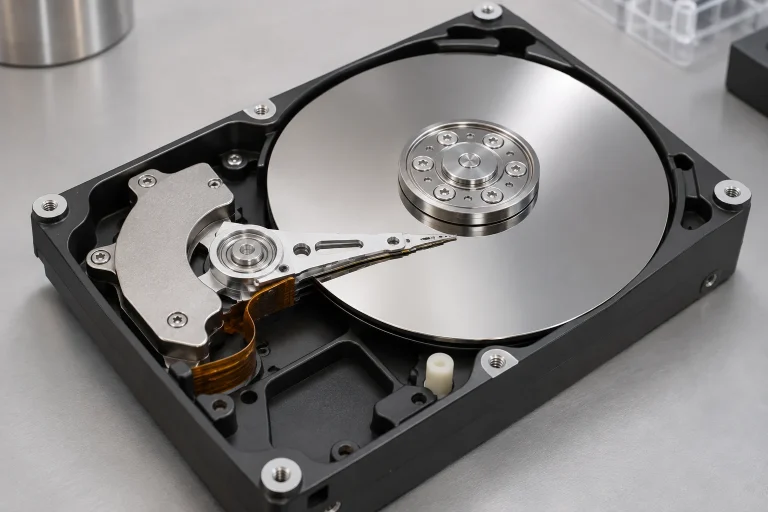
A magnetic hard drive uses a different physical storage mechanism from charge-based flash. Both can present files and addresses to a computer, because higher layers hide many details. The common user interface does not mean their internal operation is the same.
This separation also explains why installing more storage does not automatically solve every problem associated with limited working memory. Capacity is one property; access patterns, latency and the role the component plays in the computer are others.
Sources: [5]
Questions readers ask
Does a USB drive need a battery to keep files?
Ordinary flash storage does not need a battery to maintain every stored cell state. It needs power to perform operations, and its retention still has physical limits.
Does reading a file erase the charge?
Normal reads sense the cell’s behaviour. They are not deliberate erase operations. Real devices still need error management and have specified operating limits.
Are the electrons the actual photograph?
The charge states encode bits. Software uses the bit pattern and its file format to reconstruct the image; no microscopic picture is stored inside one transistor.
Is 3D NAND the same as 3D printing?
No. The name refers to a memory architecture arranged through multiple layers in a chip. It is different from a printer building an everyday object from deposited or cured material.
Can deleting a file be understood as instantly emptying every cell?
No. File-system changes and physical flash operations occur at different layers. Do not treat a general explanation of storage as a secure-erasure procedure.
Persistence is an engineered state
Flash remembers because its cells can hold distinguishable charge states behind insulating barriers. Reading interprets those states; programming and erasing change them; the controller organizes and protects the resulting pattern.
The impressive part is not a magical switch that never forgets. It is the combination of semiconductor physics and careful management that makes billions of imperfect physical structures behave like a dependable place for digital information.
Continue exploring
Sources and further reading
Keep exploring.
One remarkable idea at a time—nature, science, history and beyond.
Last updated November 6, 2026.

Barnakle Editorial Team
Barnakle Editorial Team is the collective byline used for Barnakle’s editorial articles. The contributor profile explains the team identity and links to the publication’s editorial policies.
More from the editorial team →